
Download Walter AI – AI Text Enhancer, Human‑like Rewrite, Bypass Detection
Overview
Walter AI is a web‑based AI‑text enhancement platform designed to transform machine‑generated content into language that reads like it was written by a person. In an era where AI writers can churn out articles at scale, many creators struggle with the “robotic” tone that can alienate readers and trigger plagiarism or AI‑detection tools. Walter AI tackles this problem by applying advanced linguistic algorithms, context‑aware synonym substitution, and sentence‑structure re‑engineering to produce text that feels natural, engaging, and unique.
The service is especially valuable for content marketers, educators, journalists, and anyone who needs to polish AI drafts without losing the original intent. One of the most talked‑about capabilities is its ability to bypass popular AI detection services such as GPTZero and Turnitin, which helps users ensure that the final output is treated as original human work. While the technology offers powerful advantages, it also places a responsibility on users to employ it ethically, avoiding deception in academic or professional settings.
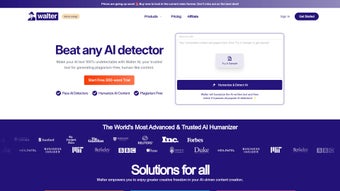
Walter AI operates entirely in the browser, requiring no installation, and offers a free tier with optional premium upgrades for higher‑volume processing and priority support. Its clean interface, real‑time preview, and one‑click “enhance” button make it accessible to both tech‑savvy professionals and beginners who simply want to improve the readability of AI‑generated drafts.
Key Features
- Human‑like rewriting: Re‑structures sentences, replaces jargon, and adds natural phrasing to make AI text sound like a human author.
- AI‑detection bypass: Utilizes proprietary obfuscation techniques that reduce similarity scores on tools like GPTZero, Turnitin, and Copyleaks.
- Real‑time preview: Shows side‑by‑side comparison of original and enhanced text, allowing instant adjustments.
- Multi‑language support: Works with English, Spanish, French, German, and more, catering to global content teams.
- Plagiarism‑safe output: Generates unique phrasing while preserving factual accuracy, helping users stay within plagiarism guidelines.
- Bulk processing: Premium users can upload CSV or TXT files to enhance dozens of documents in one session.
- Secure cloud processing: All text is encrypted in transit and deleted from servers after the session ends, ensuring privacy.
- Custom style presets: Choose from “Professional,” “Conversational,” “Academic,” or create a personalized tone profile.
- API access: Developers can integrate Walter AI’s enhancement engine into their own platforms via RESTful endpoints.
- Free tier & affordable plans: Unlimited single‑document enhancements for free, with tiered pricing for power users.
Installation, Usage & Compatibility
Getting Started – No Download Required
Walter AI is delivered as a SaaS solution, which means you can start using it instantly from any modern web browser. Simply visit walterai.com, create a free account, and you’ll be greeted by a clean dashboard. The onboarding wizard walks you through uploading your AI‑generated text, selecting a style preset, and clicking the “Enhance” button. Results appear within seconds, and you can copy the refined version to your clipboard or export it as a .docx, .txt, or .pdf file.
Step‑by‑Step Workflow
- Sign up / Log in: Use an email address or social login (Google, Microsoft) to create an account.
- Paste or upload content: Either paste the raw AI text into the editor or drag‑and‑drop a document file.
- Select a tone: Choose from predefined presets or configure custom synonym maps.
- Enhance: Click “Enhance” and watch the processing bar. The tool applies linguistic transformations in the cloud.
- Review & edit: Use the side‑by‑side view to compare, make manual tweaks if needed, and approve the final version.
- Export or integrate: Download the finished file or send it directly to your CMS via the API.
Supported Operating Systems
Because Walter AI runs in the browser, it is compatible with all major operating systems, including:
- Windows 10, 11 and later
- macOS Ventura, Monterey, and earlier versions that support Chrome, Safari, or Edge
- Linux distributions with modern browsers (Ubuntu, Fedora, etc.)
- Android 8.0+ and iOS 13+ via mobile browsers (Chrome, Safari)
The only requirement is a stable internet connection and a supported browser that can run JavaScript ES6. For teams that need offline capabilities, Walter AI offers a lightweight desktop wrapper built with Electron, available for Windows and macOS, which still syncs with the cloud for processing.
Pros, Cons & Frequently Asked Questions
Pros
- Transforms AI text into natural, reader‑friendly language.
- Effectively reduces detection scores on major AI‑checker platforms.
- No installation—works directly in the browser.
- Strong privacy guarantees with end‑to‑end encryption.
- Flexible pricing with a functional free tier.
Cons
- Premium features (bulk upload, API access) require a paid subscription.
- Processing speed can vary with large documents on slower internet connections.
- Reliance on cloud services means offline usage is limited to the Electron wrapper.
FAQ
Is Walter AI safe for confidential documents?
Yes. All text is transmitted over HTTPS, encrypted in transit, and automatically purged from Walter AI’s servers after the session ends. The platform complies with GDPR and CCPA standards, making it suitable for sensitive material.
Can Walter AI handle non‑English languages?
Currently, Walter AI supports English, Spanish, French, German, Italian, and Portuguese. Additional languages are being added based on user demand.
How does the tool bypass AI‑detection tools?
The engine applies subtle lexical changes, reorders clauses, and injects human‑like variability that lowers the statistical patterns AI detectors rely on. It does this while preserving the original meaning, so the output remains accurate.
Is there a limit on the length of text I can enhance?
Free users can enhance up to 2,000 words per session. Premium plans raise the limit to 20,000 words and provide batch processing for multiple files.
What pricing options are available?
Walter AI offers a free tier with basic features. Paid plans start at $9.99/month for the “Pro” package (10,000 words, API access) and $29.99/month for “Enterprise” (unlimited words, priority support, custom integrations).
Conclusion – Should You Download Walter AI?
If you regularly rely on AI generators to produce first drafts, Walter AI is a valuable companion that adds the missing human touch. Its ability to rewrite text in a conversational or professional tone, combined with the built‑in bypass for detection services, gives content creators a competitive edge in SEO, academic, and publishing circles. The free tier is generous enough for occasional use, while the premium plans scale smoothly for agencies and large editorial teams. However, the ethical dimension cannot be ignored; users must apply the tool responsibly and avoid misrepresenting AI‑enhanced work as wholly original when that could mislead readers or violate institutional policies. Overall, Walter AI delivers on its promise of turning robotic output into readable, authentic content, making it a worthwhile download for anyone looking to streamline their writing workflow.
Ready to give your AI‑generated drafts a human voice? Sign up for a free account today and experience the difference. For teams seeking higher volume and API integration, explore the Pro and Enterprise plans to unlock the full potential of Walter AI.
Pros: Natural language enhancement, detection bypass, secure cloud processing, free tier.
Cons: Premium cost for bulk, reliance on internet, limited offline features.



.png)



